

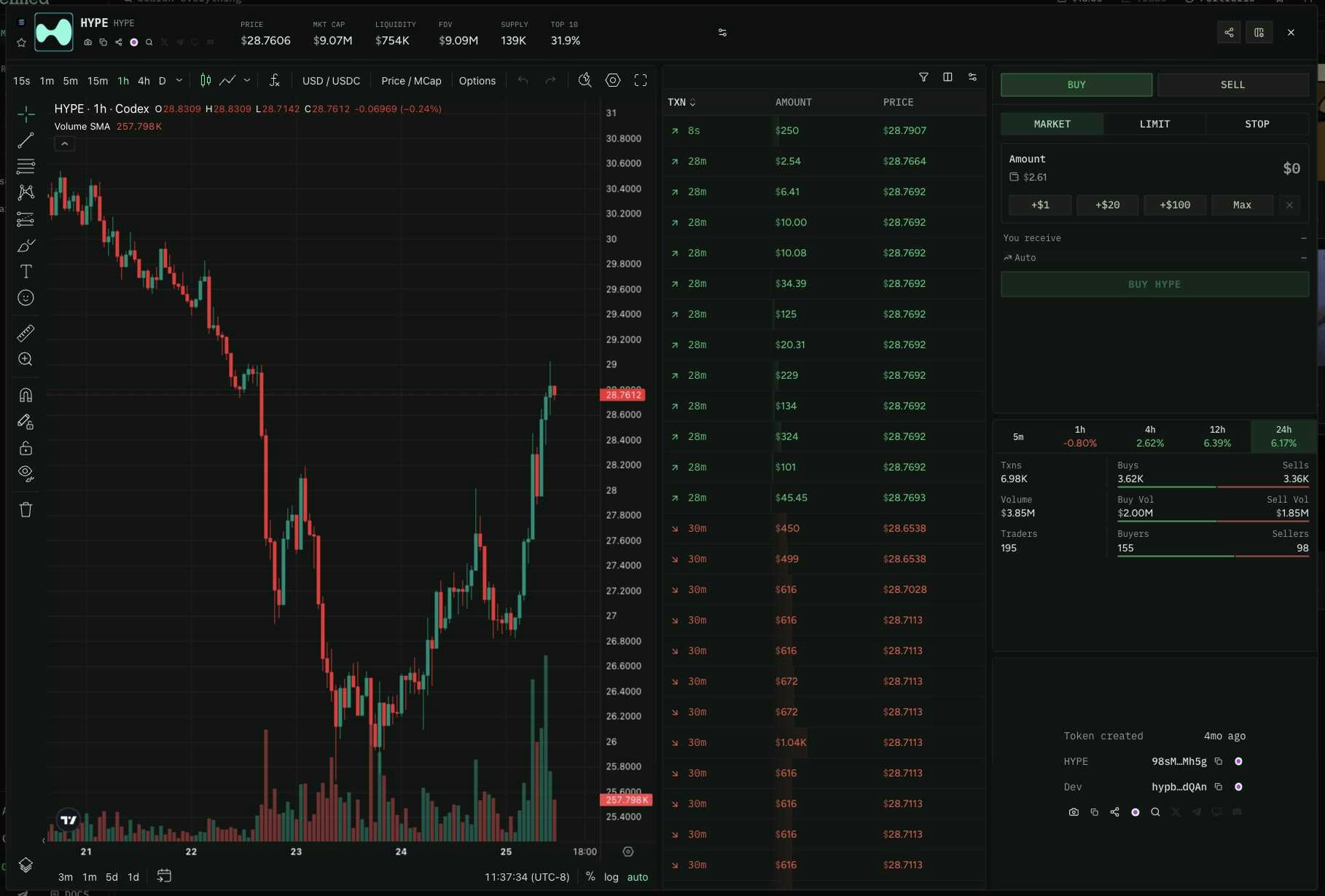
Step 1: Token Metadata & Safety
Start by fetching the token’s core info — name, symbol, images, social links, and safety signals. This single query gives you everything for the header of your token page.Token metadata with safety fields
Token metadata with safety fields
Token verification: Codex uses
isScam rather than isVerified for token safety. isScam: false is the equivalent of a token being “verified.” For Solana tokens, also check mintable and freezable — if these return an address, the token’s supply can be increased or holdings can be frozen.Step 2: Price & Pair Data
Fetch the token’s current price, volume, and liquidity from its top trading pair usingpairMetadata. This gives you the price stats panel for your dashboard.
Price and volume from pairMetadata
Price and volume from pairMetadata
Finding the pair ID with listPairsWithMetadataForToken
Finding the pair ID with listPairsWithMetadataForToken
If you don’t already have the pair ID, use
listPairsWithMetadataForToken to find it. Results are sorted by liquidity so the first result is the most active pair.Test this query in the Explorer →Step 3: Holders & Top Traders
Build the holders tab. Useholders for the top holder list and tokenTopTraders for the most active traders with PnL data.
Top holders
Top holders
Top traders with PnL
Top traders with PnL
Step 4: Trade History
Show recent buys and sells. UsegetTokenEvents for the initial load and paginate with cursor for older trades.
Recent trades
Recent trades
Filtered by buys only with minimum size
Filtered by buys only with minimum size
Step 5: Chart Data
Fetch OHLCV bars for rendering a price chart. See the Charts recipe for full details on rendering with TradingView.OHLCV bars for chart
OHLCV bars for chart
Step 6: Real-Time Updates
Once the page is loaded, open subscriptions to keep it live. Here are the key subscriptions for a token dashboard:Live price & volume updates
Live price & volume updates
Subscribe to
onPairMetadataUpdated to keep price, volume, and liquidity current without polling.Test this query in the Explorer →Live trades
Live trades
Subscribe to
onTokenEventsCreated to stream new trades as they happen.Test this query in the Explorer →Live chart bars
Live chart bars
Subscribe to
onTokenBarsUpdated to keep the chart updating in real time.Test this query in the Explorer →Live holder updates
Live holder updates
Putting It All Together
Here’s the recommended data flow for a token dashboard: On page load (queries):token— metadata, safety, social linkspairMetadata— price, volume, liquidityholders+tokenTopTraders— holder and trader tabsgetTokenEvents— recent trade historygetTokenBars— chart OHLCV data
onPairMetadataUpdated— live price and volumeonTokenEventsCreated— live trade feedonTokenBarsUpdated— live chart updatesonHoldersUpdated— live holder changes
Subscriptions vs Queries Quick Reference
Check out the related endpoints in their respective pages: