

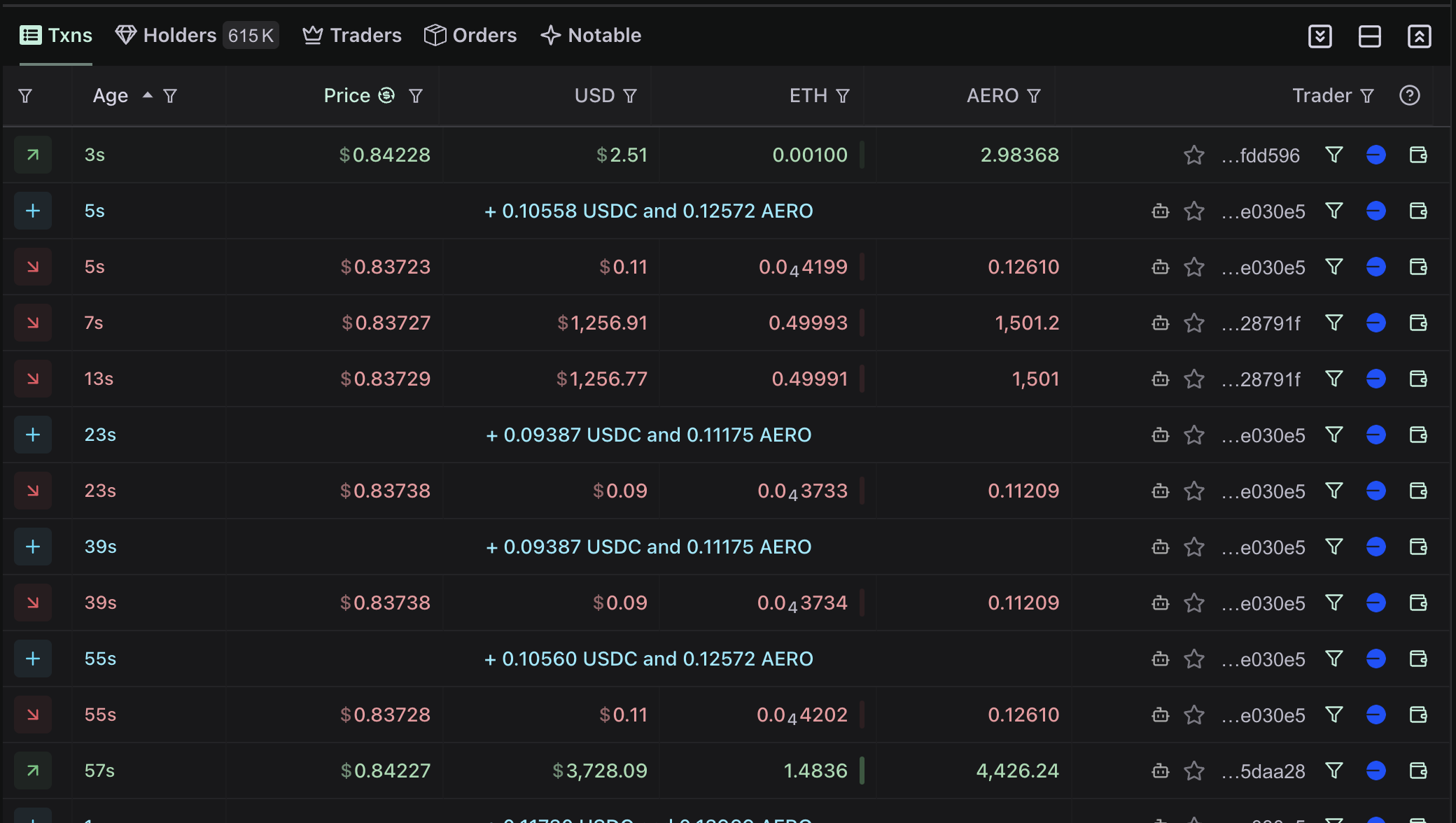
Queries
To get a list of swaps for a token, you can use thegetTokenEvents query.
For example, for the WBNB token on the BNB chain (networkId 56), you can use the following query:
To get more (paginate), you can use the cursor argument to get the next page of results.
Modify the query to include the cursor like this:
Paginated
Paginated
getTokenEventsForMaker, holders for an example.
Realtime Updates
To get realtime updates, you can use theonTokenEventsCreated subscription.
Subscription
Subscription
Now you’ve got all you need to build a fully functional swap list view.
Trade source
Each swap can carry atradeSource object identifying the app the trade was placed through — a trading terminal, wallet, or interface such as Axiom, Phantom, or Fomo — as distinct from the exchange it settled on. It’s the same signal that powers “traded via Fomo” style labeling in trade feeds.
Swaps with trade source
Swaps with trade source
tradeSource object has two fields:
id— a stable identifier for the app, safe to key on (e.g.fomo,axiom,phantom).displayName— a human-readable name for the app (e.g.Fomo,Axiom,Phantom). Null if the identifier has no registry entry yet.
tradeSource is available on every operation that returns events, including the onTokenEventsCreated subscription, so live trade feeds carry the same attribution.
On events,
tradeSource is populated for swaps on Solana and EVM networks, and is null for the majority of events since most on-chain trades carry no identifying signal. Check for a non-null tradeSource before reading its fields, and filter it out when you only want attributed trades.Trade source is also tracked at the wallet level, where it is not limited to Solana — see Filter by Trade Source for filtering wallets by the apps they trade through.See more event queries in the api reference, like getTokenEventsForMaker, getEventLabels for an example.
And more subscriptions like