

Migrated event’s pool data to subscribe with the standard websockets like onTokenEventsCreated or onPriceUpdated.
The supported launchpads include Pump.fun, Four.meme, Launchlab, Meteora, and more. See Supported Launchpads for the complete list with each launchpad’s launchpadName and protocol filter values.
It is a requirement to proxy launchpad data through your backend to serve multiple users from a single subscription. Failure to do so may result in additional charges and termination of your connection.
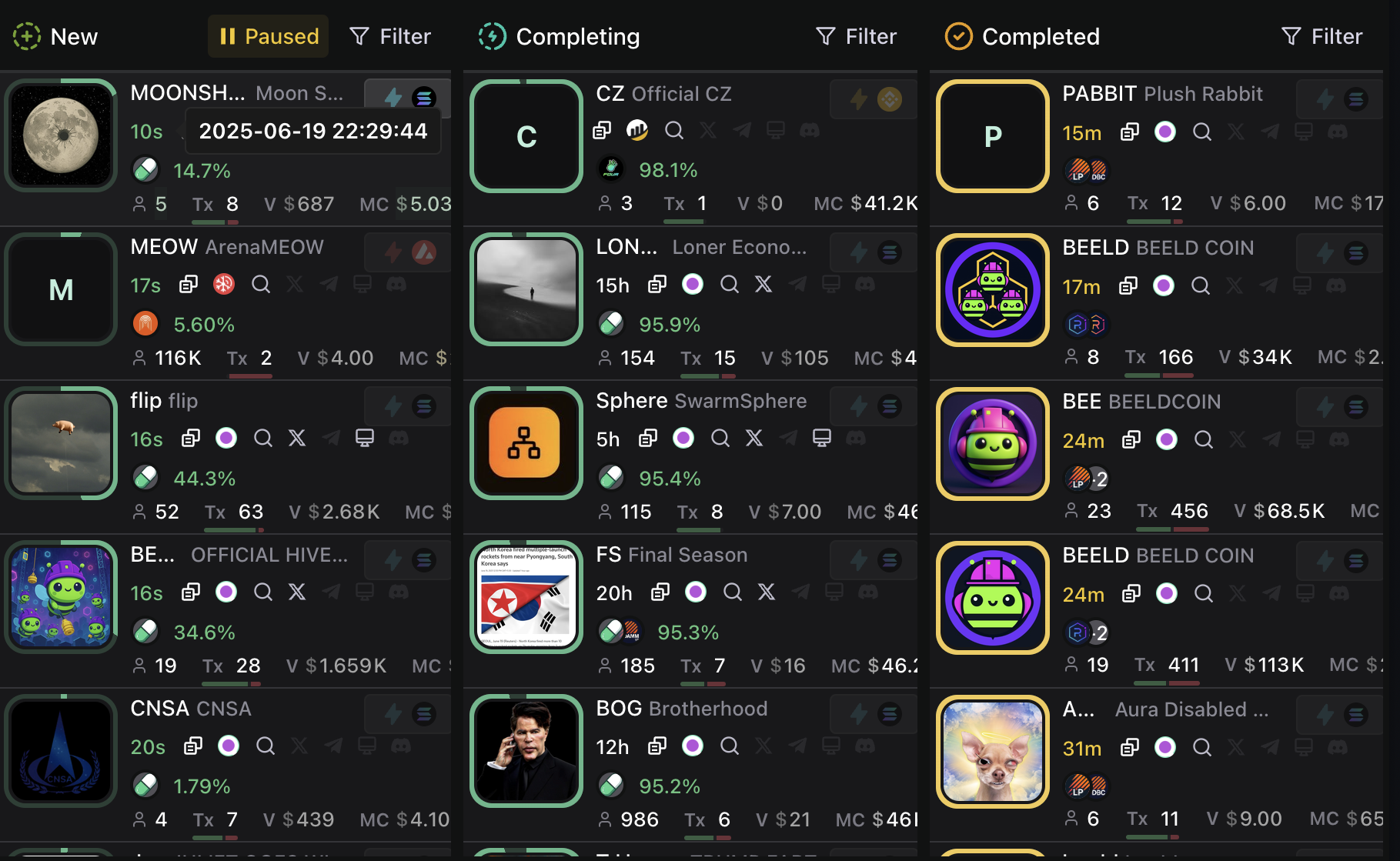
Initial Fetch
Start by implementing the following query to fetch the launchpad data, one query for each column.Completing
Completing
Completed
Completed
Realtime Updates
To get realtime updates, you can use the onLaunchpadTokenEventBatch subscription. This gives you every update for each launchpad token. Test this query in the Explorer →Further Reading
Launchpad Token Progression
Launchpad Token Progression
Launchpads that utilize bonding curves, like pump.fun, have structured token progression from 0-100% before “graduating.” Some launchpad protocols like Zora, Base, and Clanker do not implement bonding curves, and lack the distinct graduation phases. Tokens on protocols without bonding curves will simply be ‘New’, without going through the further phases of completing, completed, or migrating. In these cases the associated attributes like
migrated/completed, migratedAt/completedAt, migratedSlot, and graduationPercent will be absent.Metadata, Charts & Trading
Metadata, Charts & Trading
All the metadata in the launchpad subscription is available through the launchpad model in EnhancedToken (https://docs.codex.io/api-reference/types#launchpaddata). The volume/liquidity/etc metrics are then available through a variety of different endpoints for each token.Data for charts and trading events would need to be fetched separately, as those aren’t included in the subscription.