

How it works
Traditional API access requires account creation, API keys, and prepaid credits. With MPP, the flow is:- Send a request to the Codex API
- The server responds with
HTTP 402 Payment Requiredand a payment challenge - The client pays $0.001 via USDC on Tempo
- The server validates the payment and returns the data
MPP access is ideal for autonomous agents, bots, and scripts that need programmatic access without manual account setup. For human developers building apps, we still recommend getting an API key for the best experience.
Pricing
Quick start
The fastest way is to install the Codex skill:- Ask the agent to use Codex to get the top 25 trending tokens (or whatever your query is)
- It will then try to execute the query using the API key. If it fails, it will fallback to MPP.
- Or you can just ask it to use MPP directly
- It will then install Tempo’s
tempoCLI to manage your Tempo wallet - It will then redirect you to the Tempo website to authorize access
- There, you can either fund your new wallet (from Base, Solana, Ethereum, etc), or use an existing one. Your new wallet must have at least 1 USDC on Tempo to continue.
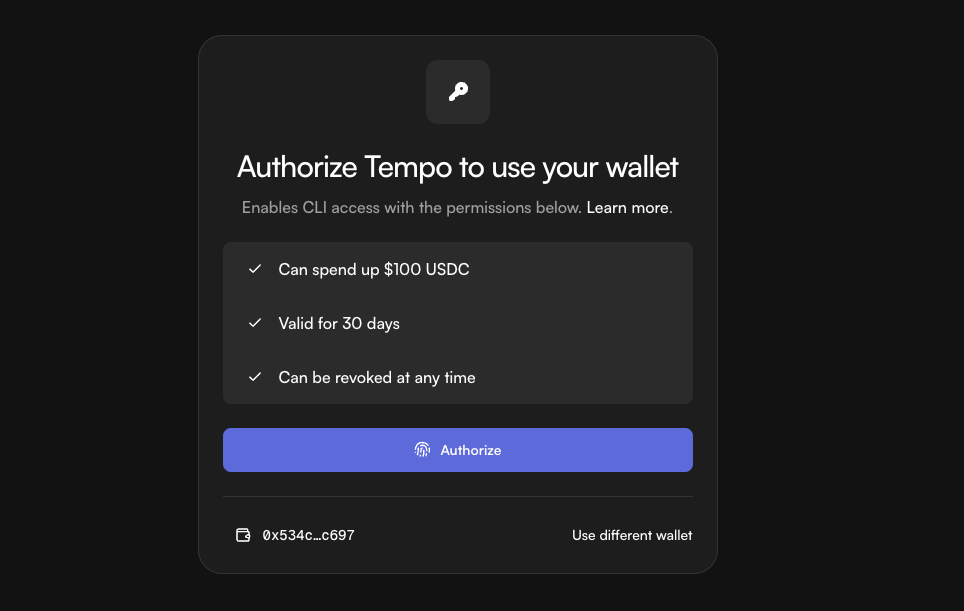
- Once funded, you press Continue and you will be prompted to authorize Tempo to access your wallet
- Once authorized, your agent will attempt to run the query using MPP
Example usage
Ask your agent:“Get me a list of 20 dog tokens.”It will then check to see if you have provided an API key. Assuming you have enabled MPP, the skill will guide the agent to run it to generate:
Example Response
Example Response
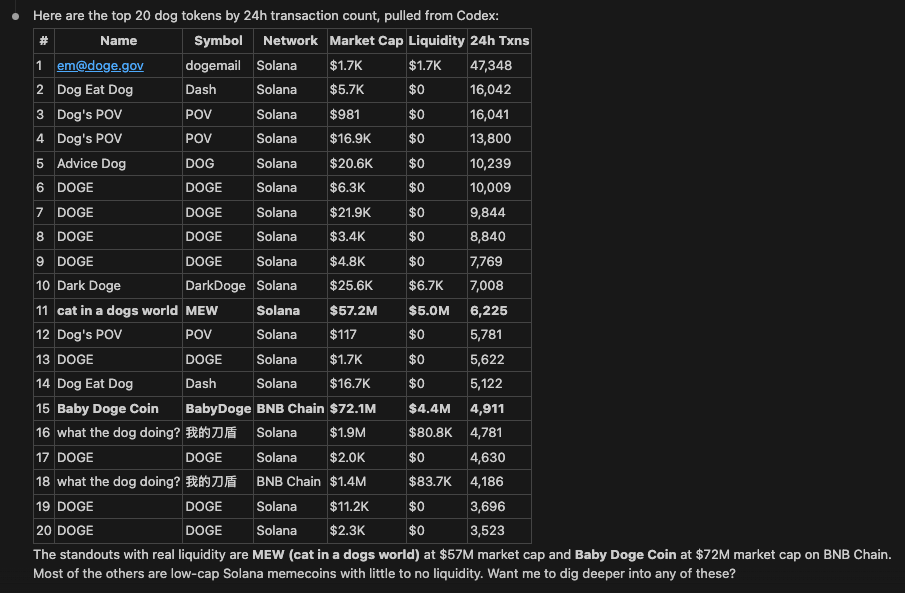
This is not an endorsement of any of these tokens, and they may be scams or rugs. Please do your own research before investing. You can also ask your agent to filter out scams.
Supported endpoints
MPP is available for all Codex query endpoints. Here are some of the most popular ones:
See the full GraphQL Reference for all available endpoints.
The beauty with the Codex Skills, however, is you don’t have to worry about any of this. Just ask your agent to use MPP and it will handle everything for you.
At the moment, Codex only supports payments via MPP on the Tempo network. We will add support for other networks and payment methods in the future.
Learn more
- MPP Documentation: Full protocol docs, SDKs, and guides
- tempo CLI: Command-line client for making paid requests
- Tempo: The network powering MPP stablecoin payments