

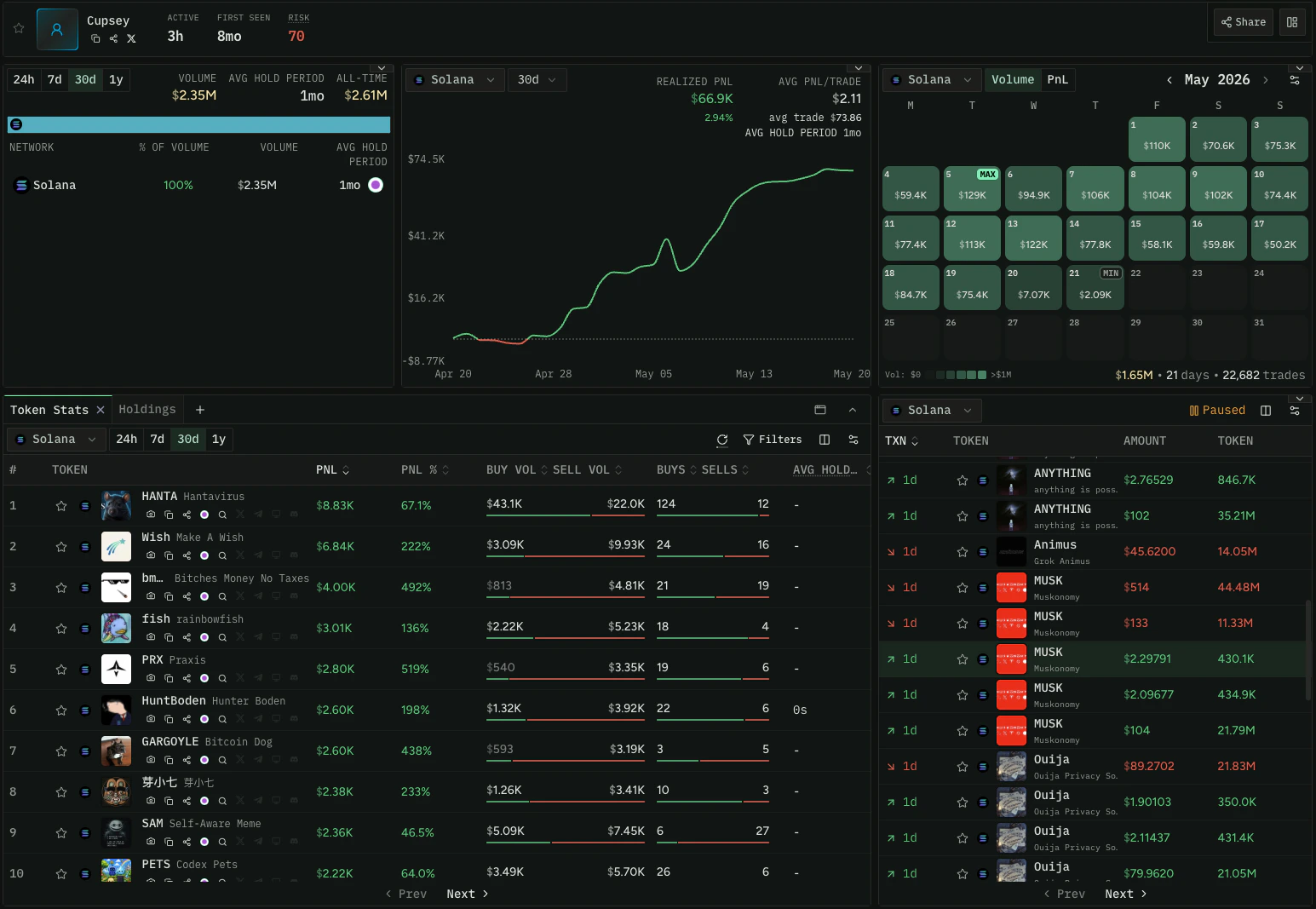
Wallet timeframes (such as PnL and volume windows) are rolling periods. 1D is the last
24 hours, 1W is the last 7 days, and so on. They do not start at a fixed date or time
of day.
Identity and Stats Overview
detailedWalletStats is the core endpoint for a dashboard. A single call returns both
the wallet’s identity (display name, Ethos credibility, linked socials, identity
labels) and its performance stats across rolling time windows, broken down by network.
This is what you render as the header and primary metrics of a trader profile.
Test this query in the Explorer →
wallet.tradeSourceIds lists the apps this wallet trades through — trading terminals,
wallets, and interfaces such as axiom or phantom — which you can render as badges on
the profile header. It means “trades through”, never “is owned by”: one routed trade is
enough for an app to appear. See
Filter by Trade Source for
the filtering equivalents.
Available time windows: statsDay1, statsWeek1, statsDay30, statsYear1. Each
provides the same field set for that rolling window. Request only the windows you
need to display.
tokensCreatedCount and tokensMigratedCount are lifetime totals across all networks —
how many tokens the wallet has deployed, and how many of those graduated/migrated.
They’re useful for flagging serial deployers on a profile header. Both are response
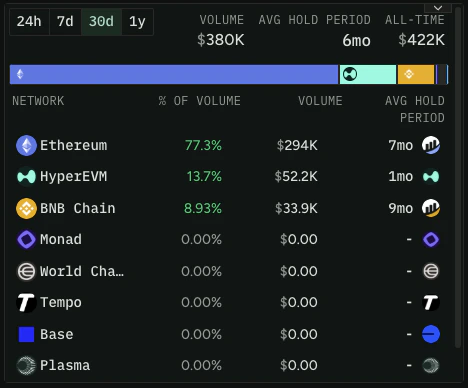
fields only, not filter inputs.includeNetworkBreakdown: true returns per-network volume and hold period
alongside the aggregate stats, which is useful when a wallet is active on multiple
chains:
Hold period vs. hold time.
avgHoldPeriodSec estimates how long tokens are held
using average-cost accounting: sells realize the age of the sold cost basis, so unsold
holdings do not affect the result. It is a lower bound, capped at the window length,
and returns null when under $1 of cost basis was sold in the window. Display it as an
indicator of conviction, not a precise duration.Calculate Wallet PnL
PnL (profit and loss) is central to a trader dashboard. For the concepts behind how Codex calculates it, see the Wallet PnL page. This section covers the practical queries.Overall realized PnL
ThedetailedWalletStats example above already returns realized PnL through
statsUsd.realizedProfitUsd and statsUsd.realizedProfitPercentage for each window.
Per-token PnL
To see how a wallet performed on a specific token, usefilterTokenWallets filtered
to that wallet:
Test this query in the Explorer →
Unrealized PnL
To estimate PnL on tokens still held, compare current value against acquisition cost:filterTokenWallets give you the inputs:
tokenAcquisitionCostUsd— what the wallet paid for tokens it still holds- Current value — multiply
tokenBalanceLiveby the token’s current price (fromgetTokenPrices)
heldTokenAcquisitionCostUsd from
detailedWalletStats.statsUsd is the single-field equivalent.
PnL over time
For charting PnL progression, usewalletChart. The realizedProfitUsd field in each
data point gives time-series PnL at your chosen resolution. See the
Visualize Wallet Activity section below.
Visualize Wallet Activity
walletChart returns time-series data for rendering performance charts and heatmaps:
PnL progression, trading volume, and swap counts over time.
Test this query in the Explorer →
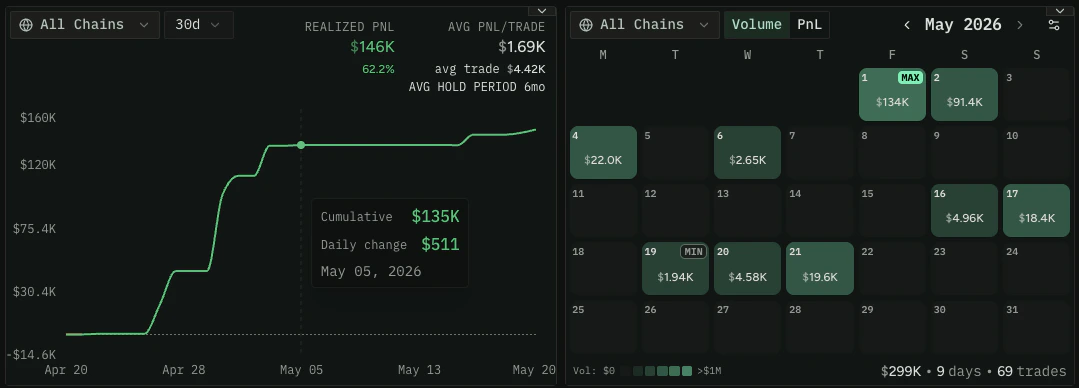
60 (1-hour candles), 240 (4-hour candles), 1D (daily),
7D (weekly). Choose a resolution appropriate for your time range. Omit networkId
for cross-chain aggregated data.
If Stats Look Empty
IfdetailedWalletStats or walletChart return empty or partial data, the wallet’s
historical stats may still be processing. walletChart exposes the state directly in
its response through backfillState. To check it ahead of time on any wallet, use
walletAggregateBackfillState:
Test this query in the Explorer →
status enum has six values:
Trading History
For a per-transaction view of everything a wallet has done, usegetTokenEventsForMaker. It returns the wallet’s individual swap events with full
detail, including the global fees paid data on each event.
Test this query in the Explorer →
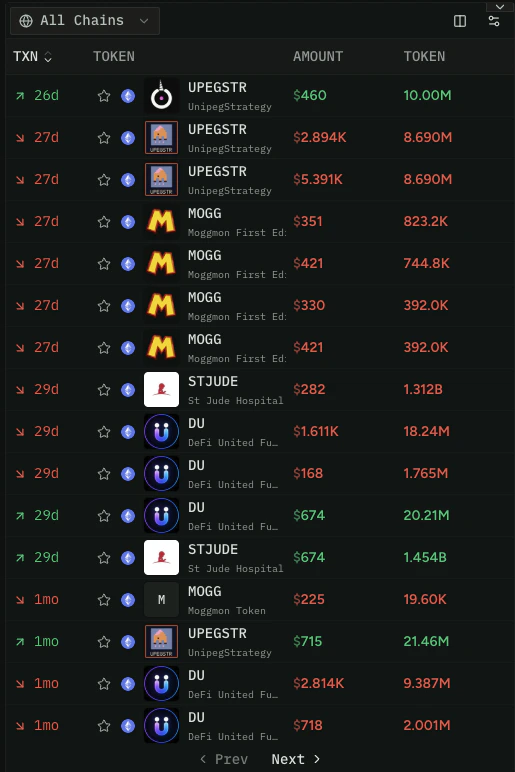
A single transaction may return multiple events for multi-hop swaps (Token A → B → C).
Disambiguate client-side using the transaction hash if you only want the end-to-end
swap.
Current Holdings
Complete the dashboard with a portfolio breakdown.balances returns the tokens a
wallet currently holds with current balance and metadata. Select balanceUsd for each
holding’s value, plus liquidityUsd and tokenLastTradedTimestamp so you can value the
portfolio accurately rather than trusting a raw price on every token.
Test this query in the Explorer →
Summing
balanceUsd alone can overstate a wallet’s worth, because a token can carry a
price with almost no liquidity behind it. liquidityUsd is the token’s route-backed
liquidity in USD — the real liquidity supporting its price, summed across pairs with
valid routing — and tokenLastTradedTimestamp is when it last traded. Discount or drop
holdings below a liquidity threshold or with no recent trades before totaling the
portfolio, so a handful of dead or illiquid tokens don’t make a wallet look far richer
than it is.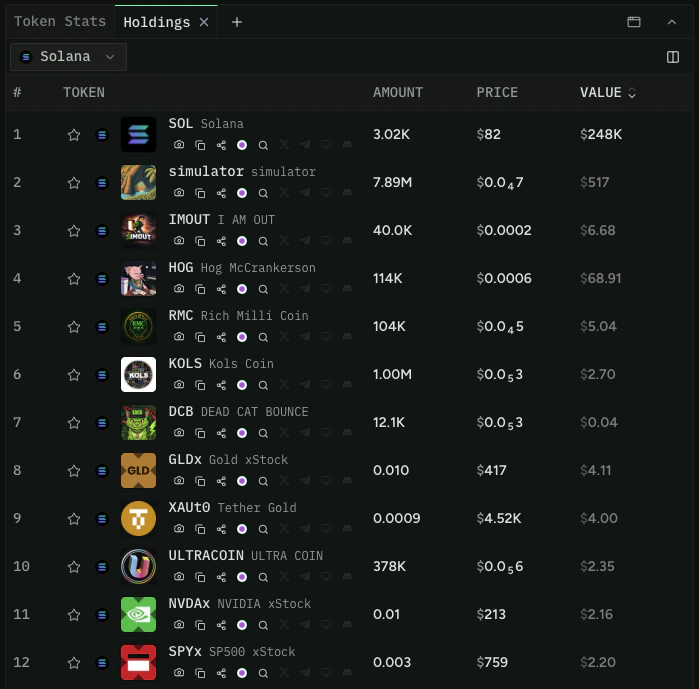
ENS names are not supported on
balances. For EVM wallets, native token balances
require a network with traces enabled. On networks without traces, a native balance
may still update when the wallet makes a swap, but without trace data those values can
be updated inconsistently — treat them as approximate. Set removeScams: true to
filter out tokens flagged as scams.Bring It Together
A complete trader dashboard pulls from several endpoints:- Identity and performance:
detailedWalletStatsfor display name, Ethos score, socials, identity labels, PnL, win rate, and hold period in one call - Per-token detail:
filterTokenWalletsfor token-specific performance - Visualization:
walletChartfor time-series PnL, volume, and swap counts - History:
getTokenEventsForMakerfor the per-transaction feed - Holdings:
balancesfor the current portfolio